
Universal HbbTV MediaSync App
The single, open-source companion app for all broadcasters to enable perfectly synchronized second-screen experiences.
Available now on Android
Coming soon on the
App Store
Get it on
Google Play
Powered by
Supported by
Experience it in Seconds
Enjoy synchronized second-screen content effortlessly.
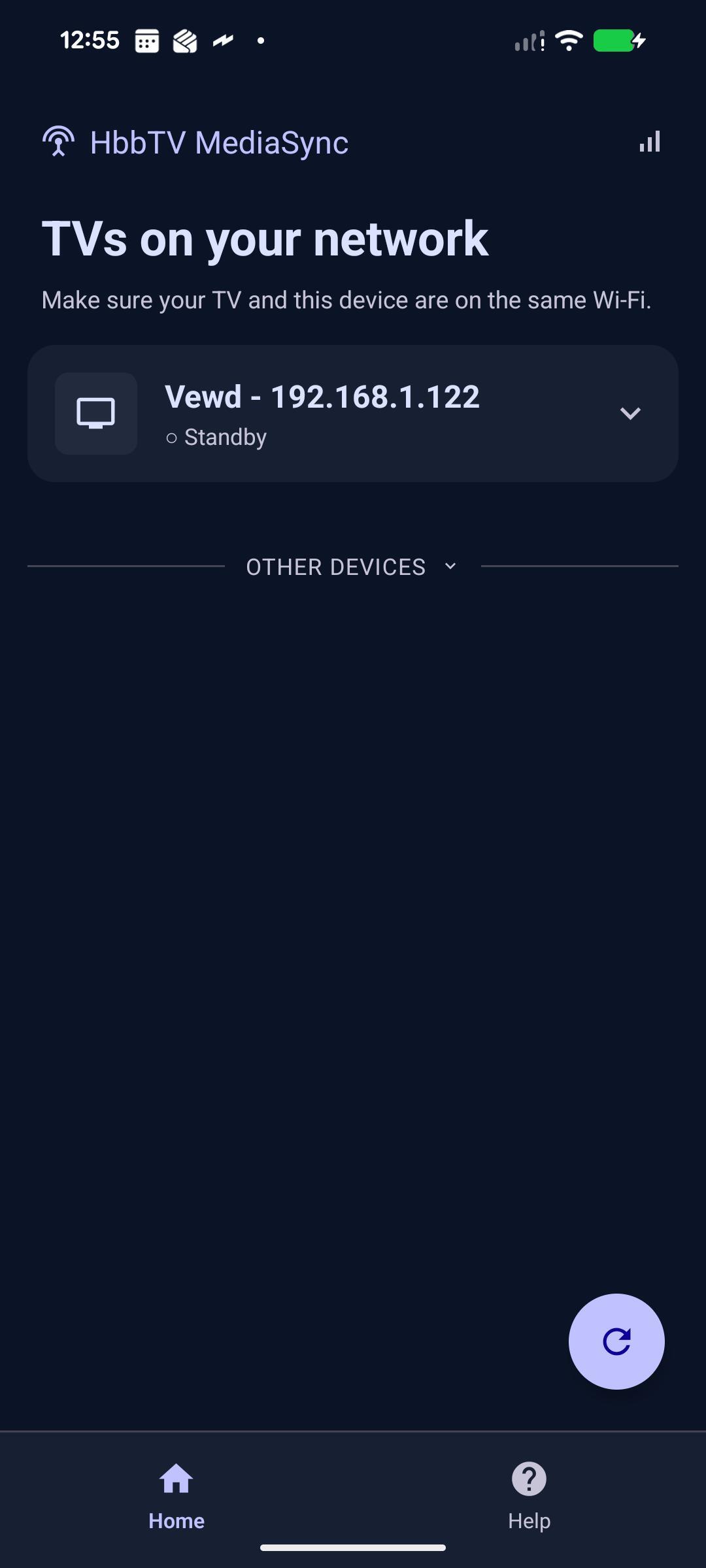
Step 1: Discovery
Step 2: Choose Track
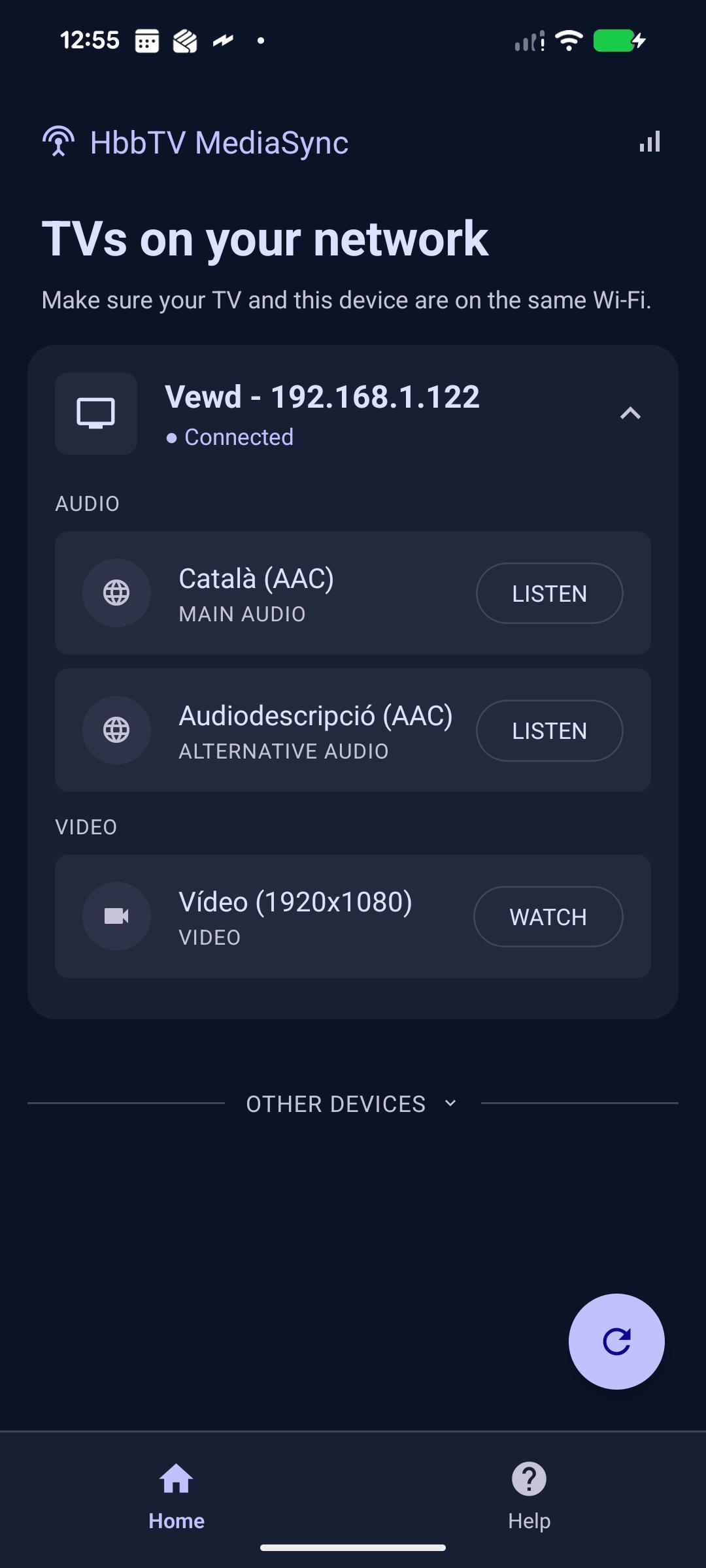
Step 3: Playback
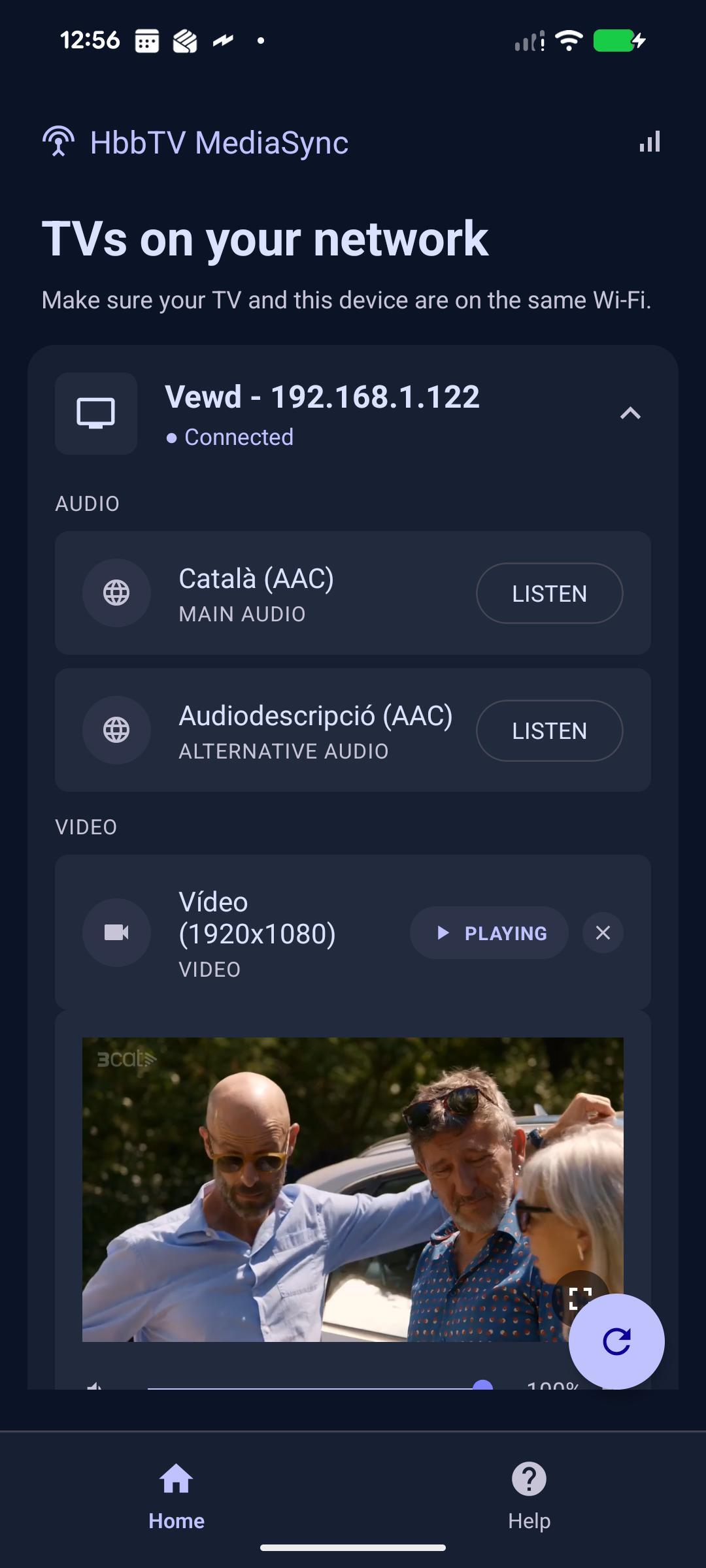
The app can offer alternative audio, additional video, sign-language video, or other second-screen experiences, depending on what the broadcaster makes available.
Zero-Friction Deployment
Zero custom apps to build or maintain. Zero backend to run. Zero complex infrastructure to configure.
Broadcasters only need to add a lightweight HbbTV snippet that points to the companion DASH MPD. The app handles the rest: it discovers the TV on the local network, loads the manifest, and synchronizes with the TV content in real time.
Use Cases: Unlocking Next-Gen Multi-Device Experiences
Demonstrate the practical value of HbbTV MediaSync by delivering seamless, personalized, accessible, and immersive services without any friction for the viewer.
Personalized Audio Experiences
- Private Listening
- Alternative Audio Languages
- High-Fidelity Audio
Universal Accessibility
- Alternative Audio Tracks
- Audio Description on Smart Glasses
- Sign Language on Second Screen
Home Mobility & Enriched Content
- Private Views & Continuity
- Alternative Camera Views
- XR & Next-Gen Ecosystems
Application Capabilities
Key built-in features engineered for seamless companion screen experiences.
Available in 7 Languages
The app interface comes pre-localized in 7 languages: Catalan, Spanish, Basque, English, German, Italian, and French.
Background Audio
Minimize the application or lock your device while keeping the fully synchronized audio track playing in the background.
Fullscreen Video
Expand complementary video tracks, alternative angles, or sign-language feeds into a fully synchronized fullscreen view.
Synchronized Web
Broadcasters can point the content ID to a companion web app instead of a DASH track. The mobile opens it fullscreen and streams the TV timeline to it via post-messages, so the page renders in perfect sync with the broadcast.
What happens under the hood?
MediaSync keeps discovery, manifest parsing, user choice, and playback timing in one continuous flow, so the companion device can render the right component at the same programme time as the TV.
The mobile scans for MediaSync devices
The app searches the local network for HbbTV terminals that advertise MediaSync capability.
The TV publishes the target MPD
The HbbTV app enables MediaSync and shares which DASH MPD the second device should receive.
The mobile reads the manifest components
Once it receives the MPD, the app parses every available component: audio, video, accessibility, language, and role metadata.
The user chooses what to watch or hear
Viewers select the component they need, from an alternate audio track to a sign-language video or companion feed.
DVB-CSS keeps playback within 20 ms
CSS-CII, CSS-WC, and CSS-TS endpoints align the second device to the TV timeline with less than 20 ms of delay.
Community Driven Innovation
Maintenance is open and community-driven. Any HbbTV member is welcome to propose and contribute new features to the core repository.
Pull Requests
Contribute bug fixes or new device discovery adapters.
Report Issues
Help us identify interoperability challenges across terminals.
Discussion
Join the HbbTV working groups to define the future of second-screen.
Frequently Asked Questions
Everything you need to know, whether you watch or you broadcast.